HubSpot CMS Pricing (2024): Secret Discount Code Inside
Are you looking for HubSpot CMS Pricing?
You are at the right place!
Nowadays a strong online presence is very vital factor for a business to connect with its audience, deliver engaging content and drive conversions.
HubSpot CMS (Content Management System) will do it for you! It offers a comprehensive suite of tools and features to help businesses create, manage and optimize their website effectively.
In this blog post, I will try to cover everything you need to know about HubSpot CMS and guide you toward making an informed decision.
Read Also: What is Hubspot & How It Works?
What is HubSpot CMS Hub?
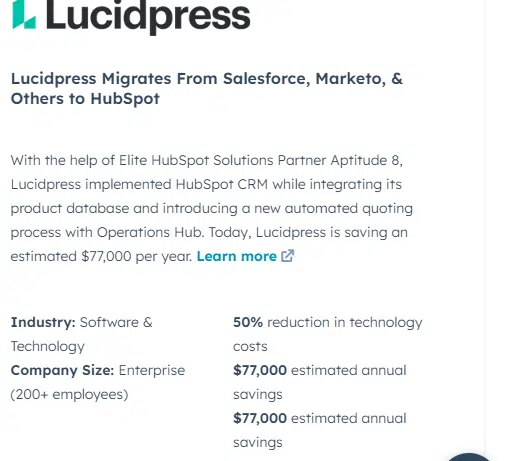
HubSpot CMS (Content Management System) is a powerful tool designed to help businesses create, manage, and optimize their website content.
You can easily build and customize webpages using a drag-and-drop editor, without requiring any coding skills using HubSpot CMS.
You will get some amazing features that will feed your need for marketing teams like dynamic content that enables personalized messaging based on your visitor’s characteristics and Smart content delivery powered by a content delivery network.
HubSpot CMS pricing is very flexible and suits different requirements. Whether you are a small business owner or an enterprise-level organization, Hubspot has a plan for you!
You will get everything you need on your website that improve your relationship with your potential customers.
HubSpot Pricing & Features: Which One You Should Choose?
HubSpot CMS hub offers three different types of plans – Starter, Professional, and Enterprise.
While each plan comes with its own set of features, the Professional and Enterprise plans provide advanced capabilities for larger organizations.
The Professional plan is designed for growing businesses that require more advanced tools to enhance their marketing efforts.
You can benefit from features like dynamic content strategy, custom domain security settings, smart content, conversion rate optimization, and multi-language content creation.
The Professional plan also allows for custom reporting, custom code, and custom objects, giving marketing teams the flexibility they need to scale their operations.
On the other hand, the Enterprise plan is tailored for larger organizations that require more robust capabilities to manage their marketing, sales, and service efforts.
In addition to all the features of the Professional plan, the Enterprise plan offers additional benefits, such as advanced threat detection, reporting dashboards, Additional root domain, web apps, memberships, custom objects and adaptive testing options.
Read Also: Does HubSpot offer any lifetime license?
HubSpot CMS Hub Pricing Explained
| Product name | HubSpot CMS |
|---|---|
| Pricing | Starts at $25 per month |
| Used for | Website Creation, Content management & SEO Optimization |
| Discount | Upto 90% for Startups & 40% for Non-Profits |
| Free Trial | 14-Day Trial |
| Yearly Discount | 10% off on annual subscription |
It is important to note that HubSpot also offers bundled pricing options that combine the CMS Hub with other HubSpot tools such as their Marketing Hub.
This allows businesses to further enhance their customer experiences and streamline their marketing and sales activities.
Read Also: HubSpot Startup Discount Code
1. HubSpot CMS Starter Plan
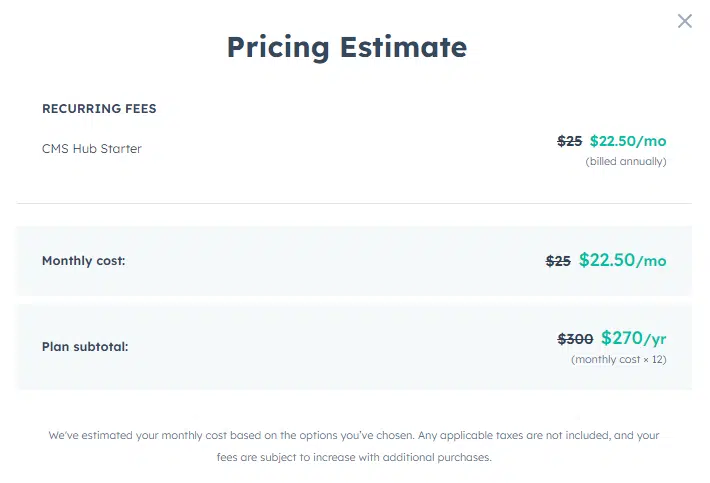
HubSpot CMS Pro Starter Plan is an excellent choice for businesses and individuals looking to create and manage their websites effortlessly with some basic features. This plan is the best for starter websites and small business organizations.
The HubSpot CMS Starter plan starts at $25 per month. You will get an attractive 10% discount for yearly subscriptions which makes it a cost-effective solution for those seeking long-term website management.
Features
- Everything in the free plan
- Drag-and-drop editor for easy website customization
- App and asset marketplace for expanding website functionality
- Integrated payment support (U.S. only) for seamless transactions
- Local website development capabilities for targeting specific regions
- Premium hosting services ensure fast and secure websites
- Variety of website themes for professional customization options
2. HubSpot CMS Professional Plan
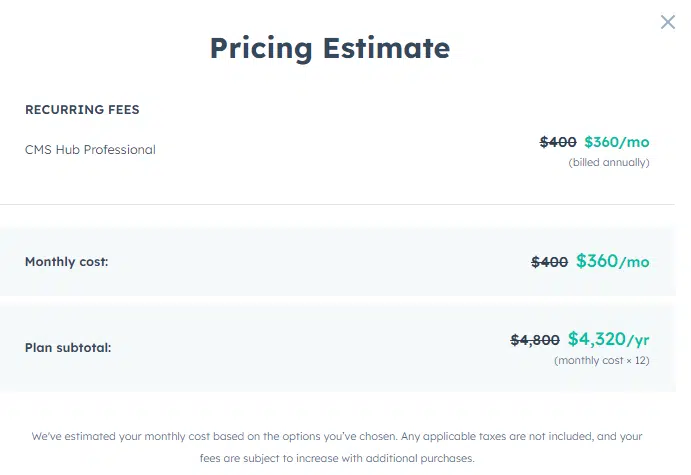
The HubSpot CMS Professional plan is a comprehensive solution designed to meet the needs of growing businesses seeking advanced features and tools to elevate their content management and marketing strategies.
The HubSpot CMS Pricing for the Professional plan starts at $400 per month and get an exclusive 10% discount on the yearly subscription which means $360 per month. You can use more add-ons that come at an additional cost.
Features
- Everything in the starter plan
- Dynamic personalization for better user experiences
- Smart content and reporting for data-driven insights
- SEO recommendations and optimizations for improved visibility
- A/B testing for refining website performance
- Custom reporting for detailed analytics and tracking
3. HubSpot CMS Enterprise Plan

The HubSpot CMS Enterprise plan is a comprehensive solution designed for the complex needs of larger enterprises. This HubSpot CMS Pricing Plan does not offer any monthly subscription.
You will be charged $1200 per month which is $14400 per year. This plan also integrates with third-party applications like Google Analytics, Salesforce, and Marketo.
Features
- Everything in the professional plan
- Multisite functionality for managing multiple websites
- Custom objects for flexible data management
- Memberships feature for user access control and management
- Web apps support for building interactive online applications
- Adaptive testing for optimizing user experience and performance
HubSpot CMS Free Plan
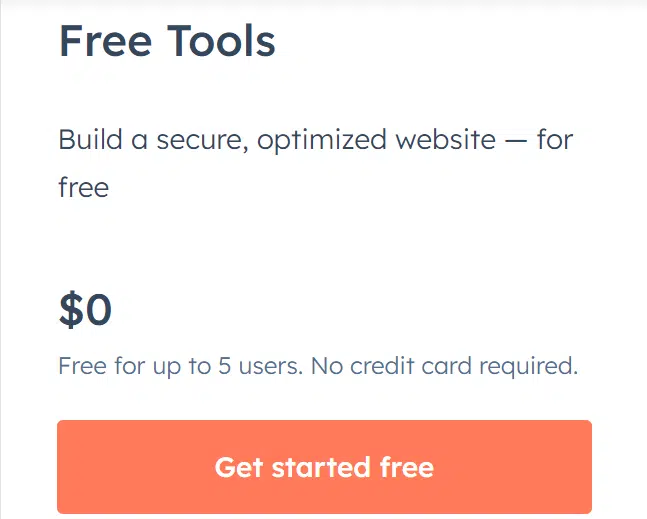
HubSpot CMS offers a Free Plan that provides businesses and individuals with a solid foundation for creating and managing their websites without any cost.
Though the customer portal of the free plan comes with very limited features, this plan is ideal for those who are just starting or have limited website management needs.
It includes:
- Free HubSpot Marketing tools
- Free Sales tools
- Free customer Service tools
- Free CMS tools
- Free Operations tools
Difference Between CMS Professional & Enterprise
CMS Hub Professional and CMS Hub Enterprise are two offerings from HubSpot, each tailored to meet the specific needs of businesses with varying requirements.
While both plans provide robust features for content management, there are several key differences between CMS Hub Professional and CMS Hub Enterprise.
CMS Hub Professional offers a drag-and-drop editor, dynamic content, and custom objects, allowing marketers to create and manage engaging content easily.
It also provides SEO recommendations, content staging, and custom reporting for optimizing marketing efforts and tracking performance.
A professional plan is the best for mid-sized businesses that can also benefit from a custom domain and premium hosting for improved brand visibility and customer experiences.
On the other hand, CMS Hub Enterprise offers all the features of CMS Hub Professional and additional capabilities that are the best for larger businesses.
It includes serverless functions that enable developers to build and run custom applications directly on the CMS, enhancing overall functionality.
Content partitioning allows hierarchical teams within an organization, such as marketing and sales teams, to manage their specific content effectively.
It also offers activity logging, allowing businesses to track and monitor user actions within the CMS. You can enjoy support reverse proxy, enabling secure access to content behind firewalls, and multi-domains for managing multiple websites within one CMS instance.
Read Also:
Frequently Asked Questions About HubSpot CMS Hub
Here are some FAQs you should know about HubSpot CMS Hub-
1. Is HubSpot a CMS system?
Yes, HubSpot offers a content management system (CMS) as part of its suite of marketing and sales tools. The HubSpot CMS enables businesses to create, manage, and optimize their websites without requiring extensive technical knowledge.
2. Is HubSpot CMS good for SEO?
Yes, the HubSpot CMS hub is designed with Search Engine Optimization in mind. It provides a range of features and tools to optimize websites for search engines, including built-in SEO recommendations, optimizations, and the ability to customize metadata and URLs.
3. What does HubSpot cost per month?
HubSpot offers different pricing tiers, starting with the Starter plan at $25 per month. The Professional plan starts at $300 per month, and the Enterprise plan starts at $1200 per month.
4. What is the HubSpot CMS starter limit?
It is recommended to review the details of the HubSpot CMS Starter plan or contact HubSpot directly to get accurate and up-to-date information about the specific limits associated with the plan.
5. Is HubSpot a CMS or CRM?
The CMS allows businesses to create and manage their websites, while the CRM provides tools for managing customer interactions, tracking leads, and analyzing sales data.
6. Is HubSpot CMS fast?
HubSpot CMS is designed to provide fast and reliable website performance. It utilizes a global content delivery network (CDN) and premium hosting services to ensure optimal loading times and minimize downtime.
Read Also:
- HubSpot Marketing Hub Pricing
- HubSpot Service Hub Pricing
- Hubspot Sales Pricing
- Hubspot Pricing Plan
- Does HubSpot offer Black Friday?
- Tutor LMS Pricing
Conclusion: HubSpot CMS Pricing
HubSpot CMS hub comes with a versatile and powerful content management system that helps businesses to create, manage and optimize their website easily.
Whether you are a small or large business owner, HubSpot CMS has a plan for you.
You can build professional and visually appealing websites without the need for extensive technical expertise with its user-friendly interface, drag-and-drop editor, and access to a marketplace for additional tools.
If you wanna give it a try, there is a 14-day free trial for you on the professional and enterprise plans. There is nothing to lose!
I hope you have loved this article, about HubSpot CMS pricing. Please feel free to share with your friends.